AMD X3D CPU Overclocking
This guide is split into two tracks: undervolting (Curve Optimizer, BIOS prep, validation, and power-limit tuning) comes first; overclocking (frequency and boost-focused tuning) has its own section at the bottom of the page. Overclocking material beyond what already overlaps with PBO here will be expanded in a future update.
Undervolting
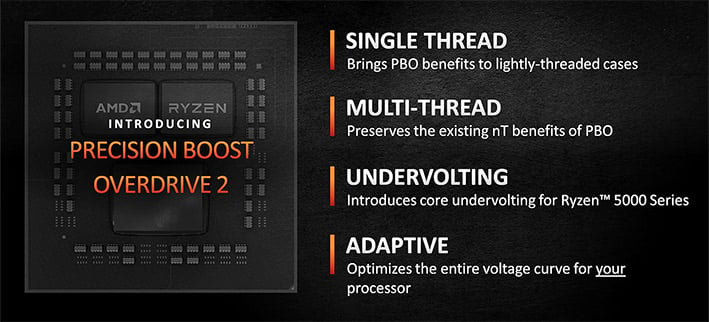
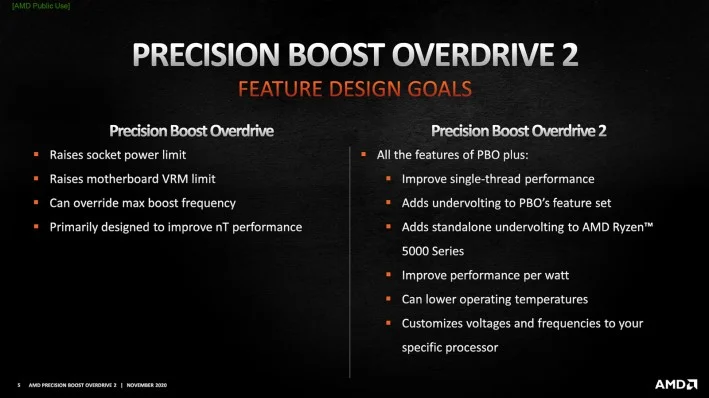
PBO dynamically adjusts CPU voltage and frequency, and it changes power limits based on cooling, workload, and VRM capability. Curve Optimizer enables per-core undervolting that adapts to both light and heavy workloads.
Each processor has different undervolting potential: more headroom at low loads, less at high loads. Curve Optimizer uses counts instead of raw millivolts, with 1 count ≈ 3–5 mV. You can adjust up to ±30 counts (90–150 mV total) on all cores or on individual cores.
PBO settings overview
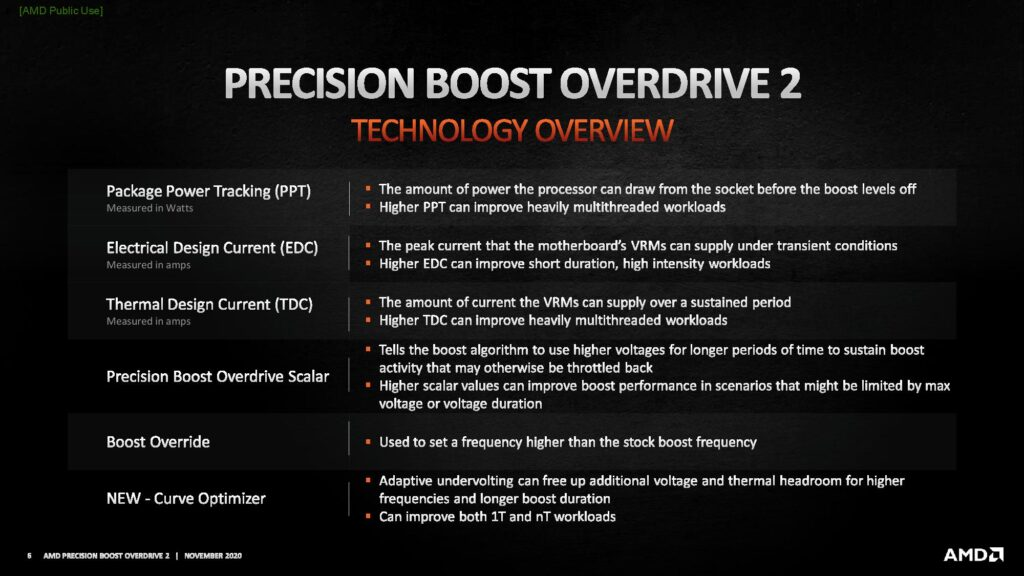
| Setting | Description | Limitation / effect |
|---|---|---|
| PPT (Package Power Tracking) | Maximum power the CPU can draw before boost levels off. | Limited by cooling. |
| EDC (Electrical Design Current) | Maximum peak current the VRM allows for short bursts. | Limited by VRM specs. |
| TDC (Thermal Design Current) | Maximum sustained current the VRM can deliver over time. | Limited by VRM cooling. |
| Platform Thermal Throttle | Sets the maximum CPU temperature before throttling occurs. | Lowering it too much reduces performance. |
| Scalar | Increases the FIT limit (1x–10x), enabling higher voltages. | May shorten CPU lifespan. |
| Boost Clock Override (Fmax Override) | Raises the maximum boost frequency (-1000 to +200 MHz, 25 MHz steps). | Some motherboards allow higher values, but they have no effect. |
| Curve Optimizer | Adjusts per-core voltage by modifying the VFT table. | Fine-tunes efficiency and boost behavior. |
Example scenarios (SkatterBencher):

Before you start
Download these tools first:
Optional
PBO2 Tuner (thread) lets you view current values and limits and edit the curve via a trigger during boot. You will still set the final values permanently in UEFI.
BIOS preparation
- Open the BIOS and find the Precision Boost Overdrive menu.
- You may see more than one PBO section. Find which one actually applies by changing a limit and testing it, for example with small Prime95 FFTs.
- Ignore duplicate entries that only expose single PBO settings.
- Apply the recommended BIOS settings first, then continue with the steps below.
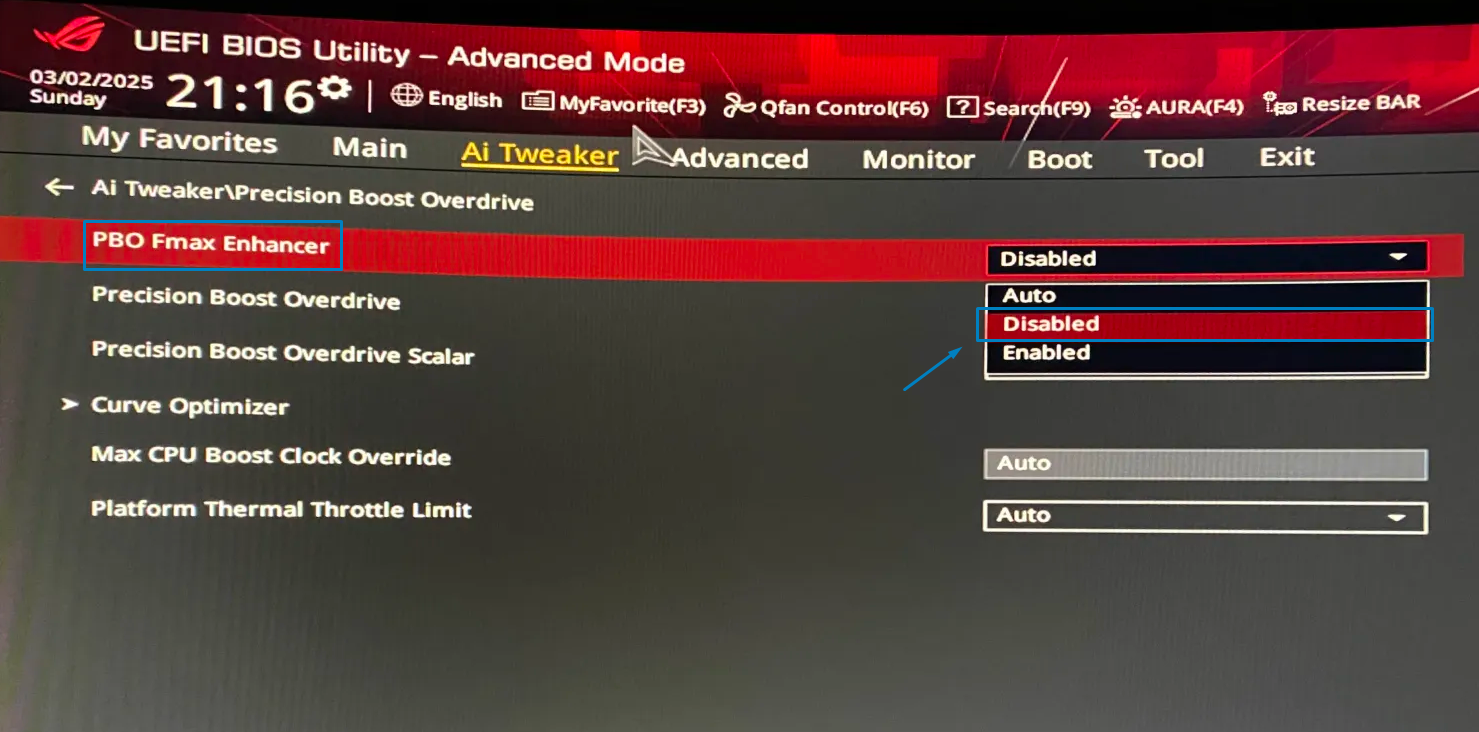
- Disable PBO Fmax Enhancer.
- Set power limits to a starting point. You will tune PPT, EDC, and TDC again later.
- Look up the PPT, EDC, and TDC limits used on your CPU.
- Set Scalar to Manual at 2x (see recommended settings). Do not use
10x. - Leave Platform Thermal Throttle unchanged unless you want to lower the maximum temperature target.
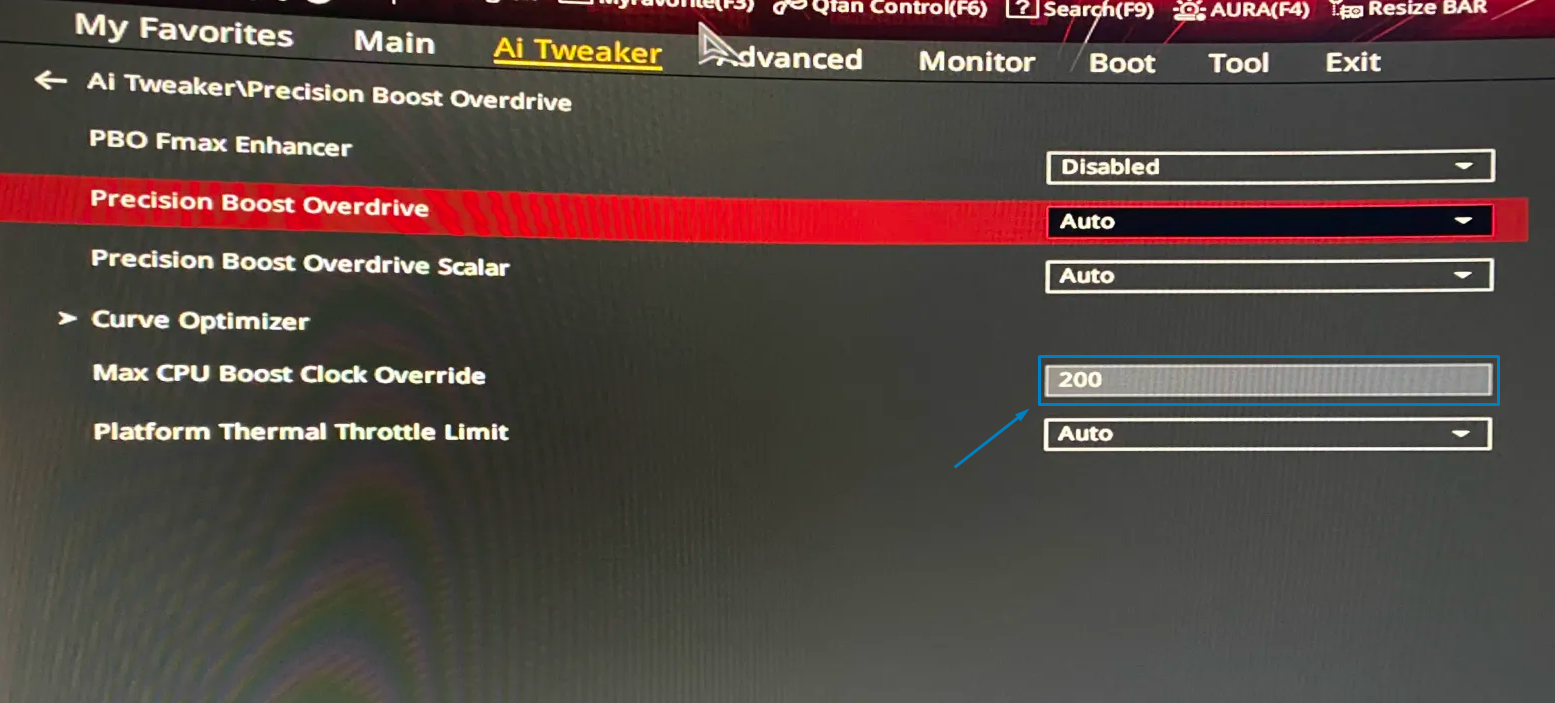
- Set Boost Clock Override (
Fmax Override) as in the recommended settings (+200 MHzon the reference ASUS board), or lower if thermals are too high.- Confirm temperatures stay under control so the CPU does not throttle.
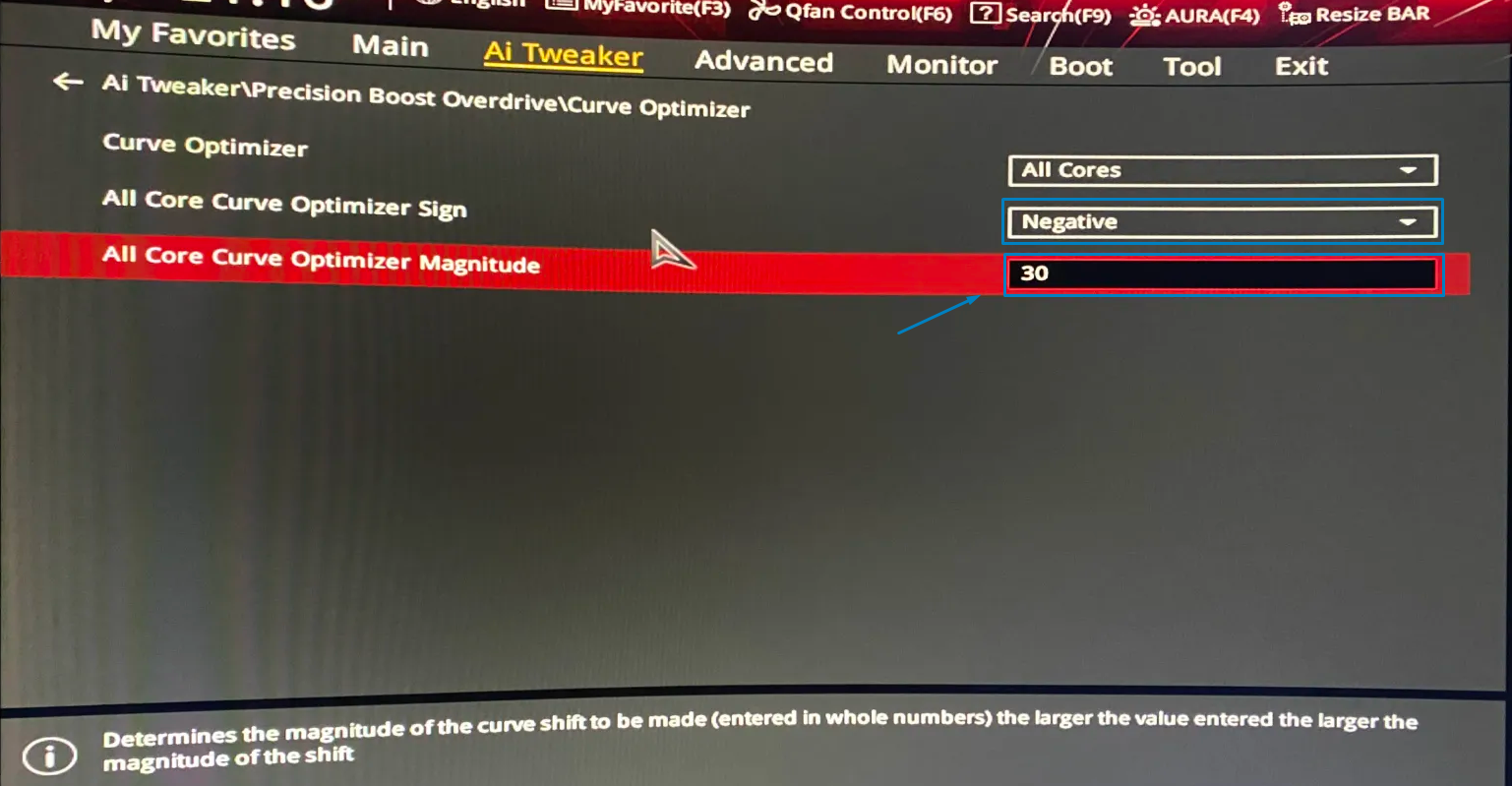
- Set Curve Optimizer to
All Coresand start with-30.
Stress testing
With all cores at -30, some cores may be unstable or crash. Use CoreCycler to filter them.
- Open
Run CoreCycler.bat. - Let it pass one iteration.
- You will probably see errors on specific cores.
- Reboot into UEFI and set Curve Optimizer to
Per Core.- Set cores that threw an error to
-25. - Leave the other cores at
-30.
- Set cores that threw an error to
- Run CoreCycler again and repeat the steps.
- After one clean iteration, let it run longer because other cores may still error.
- When CoreCycler runs for about
5 hwithout crashes (or at least1–2 h), Curve Optimizer tuning is usually done.
After Curve Optimizer is stable, you can validate further with:
- Prime95 smallest or small FFTs
- Y-Cruncher all tests
- OCCT
- LinPack Extended
PPT, TDC, and EDC limits
You can either set PPT Limit, TDC Limit, and EDC Limit to manual and use their default values, or find practical limits as shown below. The measured values may not be accurate until the system is fully stable.
- Set all three limits to unlimited, for example
1000. - Run Prime95 small FFTs for
5–10 min. - Open HWiNFO during the test and note the maximum values under Enhanced CPU:

- Return to the BIOS, set the limits to manual, and enter the maximum values you recorded.
- Test each step with PresentMon and a CPU-heavy game.
- Benchmark the game and capture frame times with PresentMon. You can upload the
.csvfile to Frame-Time Analysis, then lower the limits and repeat.- At first, you can decrease all limits together:
- PPT:
-10 - EDC:
-10 - TDC:
-5
- PPT:
- At first, you can decrease all limits together:
- If you notice a clear performance loss, go back to the previous limits.
- Then tune each limit individually, starting with PPT.
- Benchmark after each change. If performance drops, keep the previous value, then repeat for EDC and TDC.
- Stop when you have the lowest limits that do not reduce performance.
Overclocking
Recommended
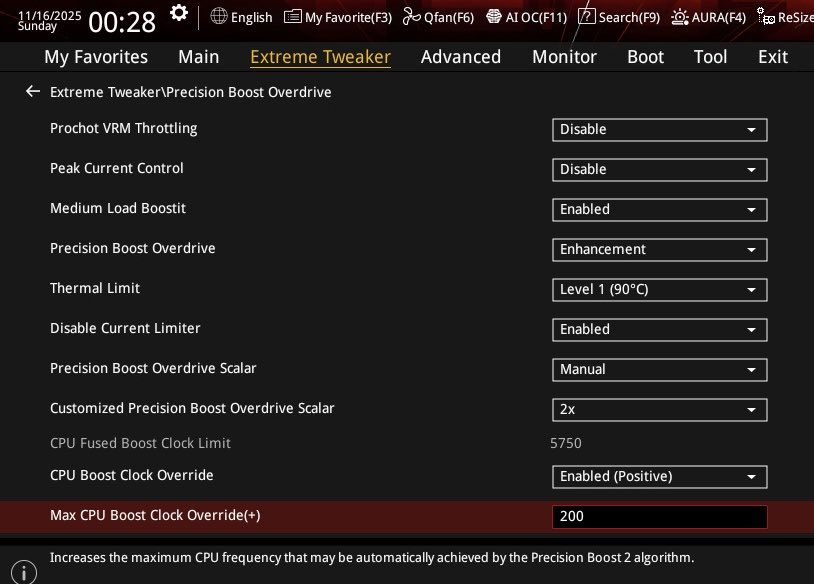
The table below lists the recommended starting values for PBO on X3D CPUs, taken from ASUS UEFI under Extreme Tweaker → Precision Boost Overdrive. Use them as a baseline before tuning Curve Optimizer and power limits.
Motherboard note
Option names and available values vary by vendor and BIOS version. If your board does not list an item, use the closest equivalent or skip it.
| Setting | Recommended value |
|---|---|
| Prochot VRM Throttling | Disable |
| Peak Current Control | Disable |
| Medium Load Boostit | Enabled |
| Precision Boost Overdrive | Enhancement |
| Thermal Limit | Level 1 (90°C) |
| Disable Current Limiter | Enabled |
| Precision Boost Overdrive Scalar | Manual |
| Customized Precision Boost Overdrive Scalar | 2x |
| CPU Boost Clock Override | Enabled (Positive) |
| Max CPU Boost Clock Override (+) | 200 |
CPU Fused Boost Clock Limit is informational only (example from the reference system: 5750); do not treat it as a setting to change.