
iTunes not recognizing Apple device
Question
Why is iTunes not recognizing my Apple device?
Answer
If iTunes is not recognizing your Apple device, it's likely a driver issue. You can fix this by downloading and installing the Apple USB drivers.
If driver installation through Windows Update is disabled on your system, or you keep a minimal driver set after applying IBRA Windows Configuration, install the Apple USB driver manually. For broader driver guidance, see Other drivers.
Manual installation
TIP
If you're experiencing significant issues with drivers, start with the OEM-first approach in Other drivers before installing extra packages.
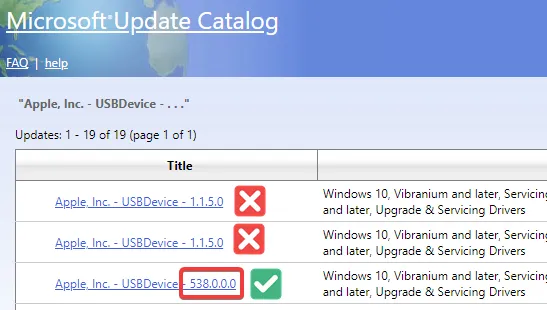
Download the latest Apple USB drivers from the Microsoft Update Catalog that begins with a three-digit version number.
Extract the downloaded zip file using 7-Zip or Explorer. Ignore any warnings that may appear.
Find the
.inffile in the extracted folder. Right-click on the.inffile and select Install.