
Xbox Game Bar
Overview
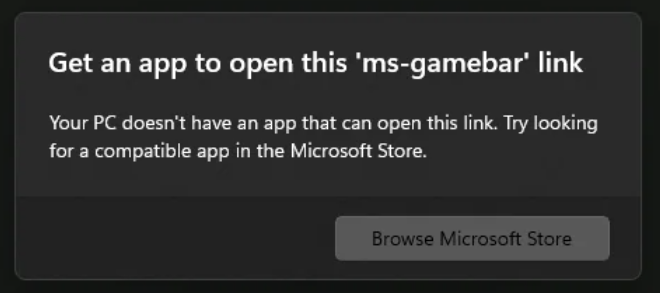
Fixes ms-gamebar popups and broken handlers after uninstalling Xbox / Game Bar. The tool can apply the fix or restore default behavior.
TIP
Useful if ms-gamebar:// links still open dialogs or errors even when Xbox Game Bar is removed.
Run (PowerShell)
- Open PowerShell as Administrator
- Paste and press Enter:
powershell
irm 'https://docs.ibrhub.net/scripts/ms-gamebar-annoyance.ps1' | iex- Choose in the menu:
| Option | Action |
|---|---|
| 1 Apply | Disable ms-gamebar popups |
| 2 Restore | Re-enable Game Bar handlers |
| 3 Cancel | Exit without changes |
What gets changed
Current user (HKCU)
| Key | Value when applied |
|---|---|
GameDVR\AppCaptureEnabled | 0 |
GameConfigStore\GameDVR_Enabled | 0 |
Protocol handlers (admin HKCR)
For ms-gamebar, ms-gamebarservices, ms-gamingoverlay:
| When applied | Effect |
|---|---|
NoOpenWith | Set blocks “Open with” prompts |
shell\open\command | Points to systray.exe instead of Xbox |
When restored, those registry entries are removed so default handlers can return.
Disclaimer
WARNING
Applying changes modifies registry settings. Use Restore if you reinstall Xbox Game Bar and want normal behavior back.
Credits
Content and research by @AveYo.
For detailed original documentation, see: