
Fix .url shortcuts and missing icons
Question
How do I fix my shortcuts showing up as .url files or without an icon?
Answer
Simply set the shortcut to open in Internet Browser.
Right-click the shortcut and click
Choose another appunderOpen With....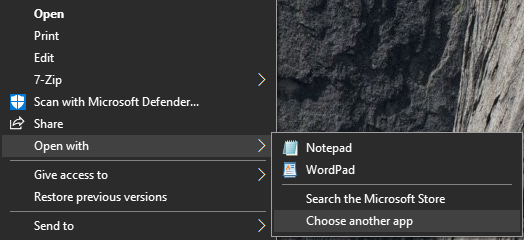
If there is no
Open With...menu, double-click the shortcut instead.Choose Internet Browser and tick
Always use this app to open .url files.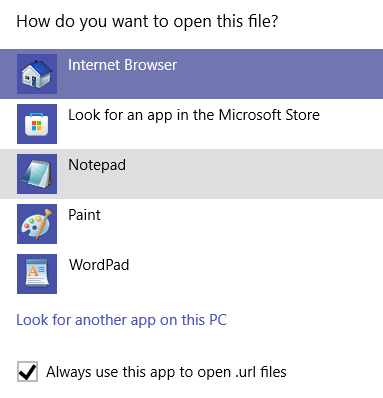
Press
OK.